Modern knowledge work is increasingly conversational. If you're utilizing LLMs like ChatGPT, Claude, or Gemini, you're likely generating a vast volume of insights every day—ranging from strategic planning and iterative brainstorming to complex problem-solving.
However, the utility of these insights is often hampered by the platform's user interface. Chat histories are inherently linear and temporal, whereas professional research requires a thematic and structured organization. Finding that one "specific summary" from a 10,000-word chat log shouldn't feel like an archeological dig.
| Aspect | Native AI History | Chat Highlight Sidebar |
|---|---|---|
| Retrieval | Endless scrolling | Clickable TOC |
| Context | Linear logs | Semantic Labels |
| Refining | All-or-nothing | Key Snippets Only |
The Philosophy
Capturing knowledge is easy—recalling it is the challenge. Professional AI mastery requires shifting from "saving everything" to curating fragments that actually matter.
Beyond the Linear Sidebar
The standard "Chat History" list is a chronological dump of your interactions. It's built for the past, not for your future self who needs to retrieve a specific strategy. When every chat is simply titled by its first question, your knowledge base becomes a black box.
Saving entire chat logs manually is an act of "digital hoarding" that only increases the noise. To be effective, you need to extract the Golden Nuggets—the 5% of the conversation that holds 95% of the value.
Enter Chat Highlight's Intelligence
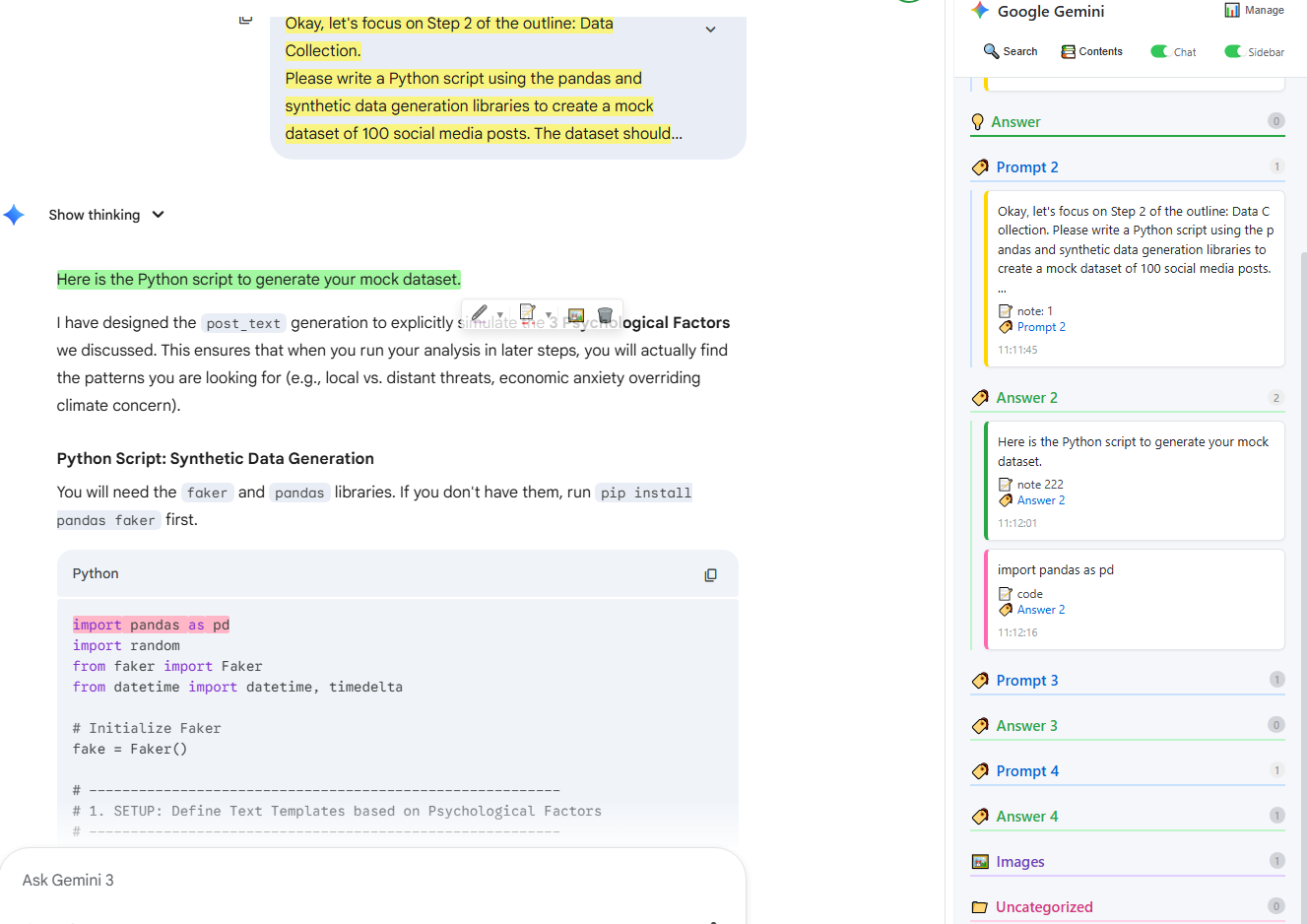
We designed the Chat Highlight Sidebar to bridge the gap between ephemeral chat and permanent knowledge. By treating the AI interface as a research canvas instead of just a chat box, you can build a living knowledge base in real-time.
Semantic Hierarchy and TOC
Our intelligent Sidebar doesn't just list your highlights; it organizes them. By analyzing the communication flow, Chat Highlight identifies the roles of your text—automatically distinguishing between Prompts (your intent) and Answers (the solution).
The Sidebar instantly generates a clickable Table of Contents (TOC) for your specific session. This allows you to jump directly to critical sections, entirely bypassing the fatigue of endless scrolling.
The Three-Step Knowledge Loop
By integrating the browser extension with our specialized Cloud Dashboard, you create a seamless pipeline for your second brain:
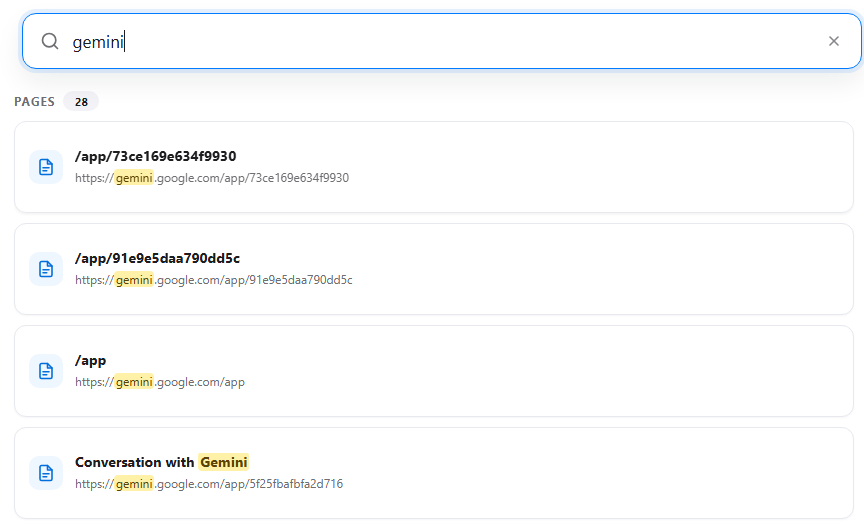
- Extraction: Use our high-fidelity tools to capture only the essential snippets directly on Gemini, Claude, or ChatGPT.
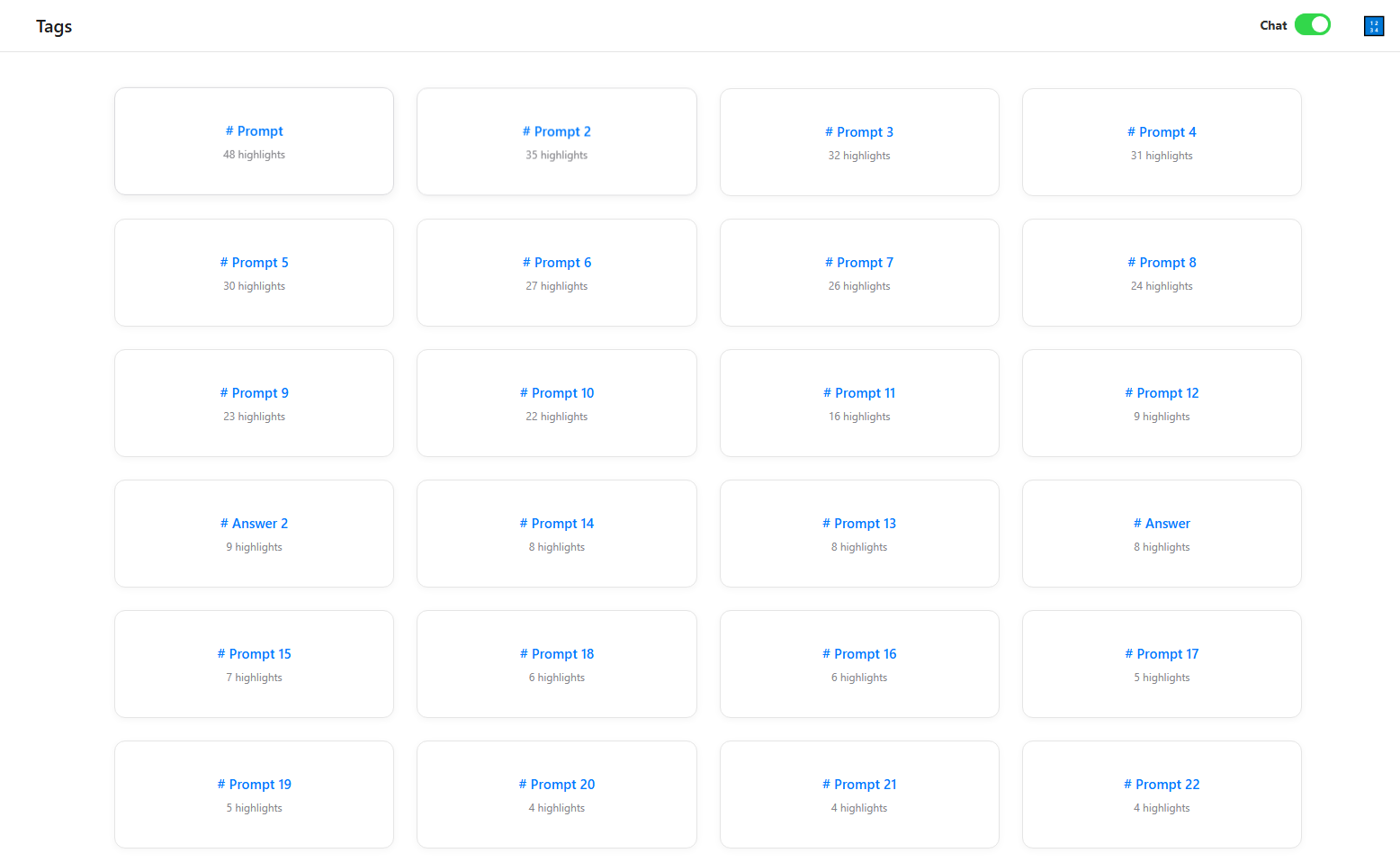
- Theming: Apply metadata like
#strategyor#project_deltain the Sidebar to give the fragment immediate context. - Recall: Access the Cloud Dashboard later. Use global search to find the fragment across months of history.
"I no longer look at my chat history. I look at my Highlights dashboard. That's where the actual work lives."
This closed-loop system ensures that your AI interactions result in assets, not just history. Start building your structured AI knowledge base today.