If you're a developer utilizing Large Language Models (LLMs) like ChatGPT, Claude, or Gemini, you've undoubtedly encountered a recurring frustration. You prompt the AI for a complex solution, it generates a useful 50-line code block, and the moment you try to save it—the workflow breaks.
Typical "select and copy" methods can strip away syntax highlighting, damage indentation, and blend your original prompt with the AI's response into a monolithic, unreadable block. High-speed development requires higher-fidelity tools.
Standard copy-paste
Can you write a Python script?
import pandas as pd def analyze(data):
print(data.head())
Chat Highlight Markdown
## Prompt
Can you write a Python script?

## Answer
```python
import pandas as pd

def analyze(data):
    print(data.head())
```| Feature | Standard Copy-Paste | Chat Highlight Mode |
|---|---|---|
| Syntax Highlighting | Lost frequently | Fully preserved |
| Code/Text Separation | Manual labor | Automatic |
| Markdown Metadata | None | Auto-generated |
The Problem
Native chat interfaces prioritize ephemeral interaction over knowledge preservation. Standard web clippers fail because they perform superficial text scraping instead of semantic DOM analysis.
Why "Scraping" Isn't Enough
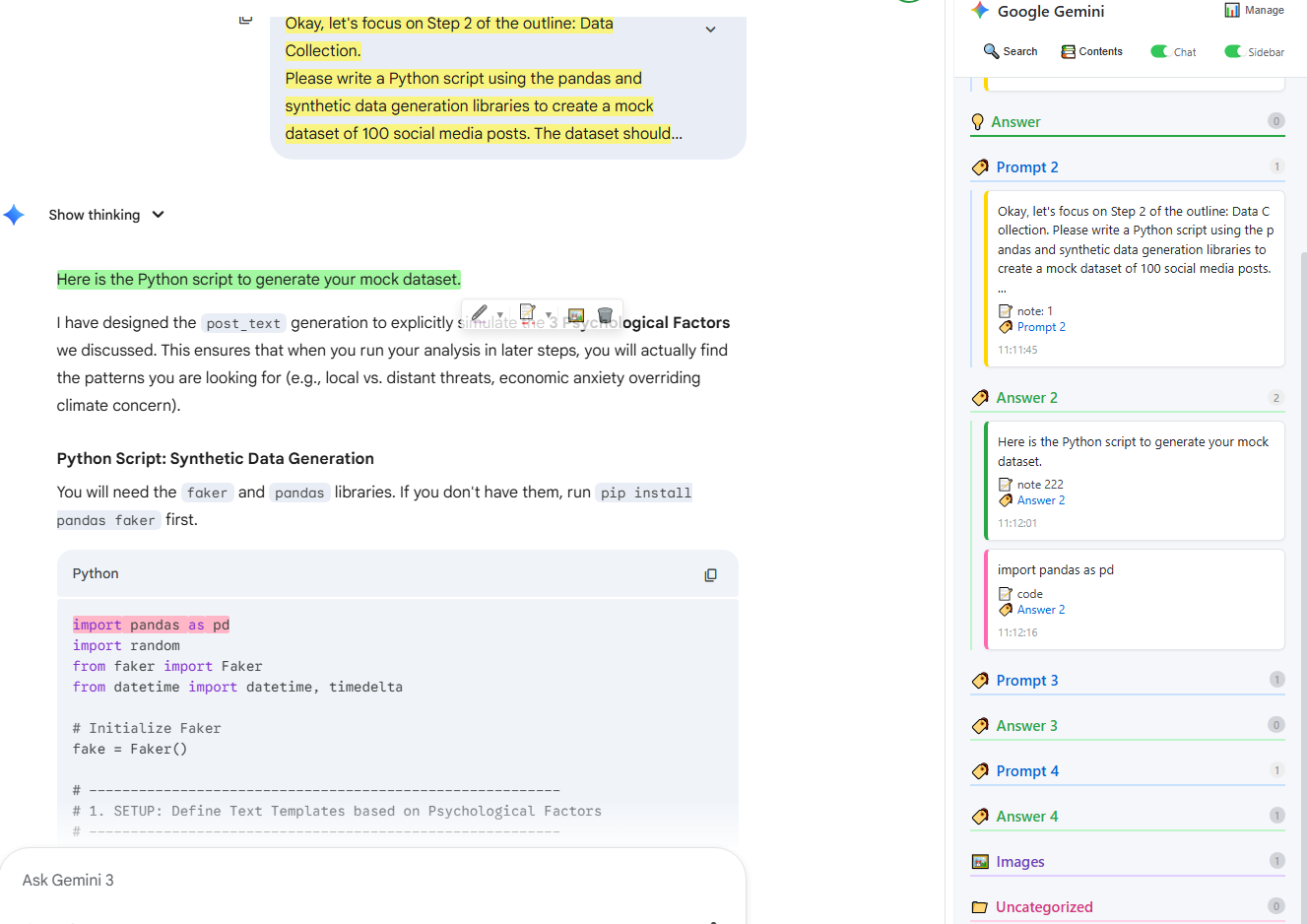
Generic highlighters treat a ChatGPT or Claude page like any other blog post. They don't understand that a code block isn't just text—it's structured data. When you use a traditional clipper, you lose the programming language metadata, meaning your carefully saved snippets won't render correctly in Notion.
Enter Chat Note Mode: Semantic Precision
This is the core engineering feat of Chat Highlight. Unlike generic alternatives, our "Chat Note Mode" is tailor-made for contemporary AI interfaces. It doesn't just "see" text; it interprets the underlying communication structure.
When activated on ChatGPT, Claude, or Gemini, Chat Highlight effectively reverse-engineers the page's DOM to distinguish between:
- 1. User Prompts: Isolated as the source context.
- 2. AI Responses: Captured as the primary insight.
- 3. Syntax Metadata: Preserved styles for 50+ programming languages.
"In deep development sessions, I don't have time to re-format Markdown. Chat Highlight helps preserve the intent of my conversations."
Generating Clean, Portable Markdown
Because Chat Highlight understands the semantic roles of each element, the export process is surgical. With a single click, your highlights are converted into Standard GFM (GitHub Flavored Markdown).
Your prompts become clear headers, and the code remains locked inside fenced blocks with correct language tagging, ready for immediate use in your developer second brain or documentation suite.
Realistic Code Export Sample
Here is how a Python snippet looks when exported via Chat Highlight. Notice the clean formatting and preserved semantic roles:
# Chat Highlight Export - Python Sample
def calculate_retention(users, periods):
    """Calculate rolling user retention for LLM usage."""
    retention_stats = {}
    for p in periods:
        print(f"Analyzing period: {p}")
        # Semantic metadata preserved
    return retention_stats
Local First: Professional-Grade Privacy
We believe your code is your intellectual property. Most cloud-based highlighters require you to upload your entire chat history to their servers for processing. This is a non-starter for enterprise developers or privacy-conscious engineers.
Chat Highlight operates on a Local-First Architecture. Every step—from DOM parsing to highlight rendering—occurs strictly within your browser environment. Your data remains in your local storage by default. Privacy isn't a feature; it is our foundation.